
Search
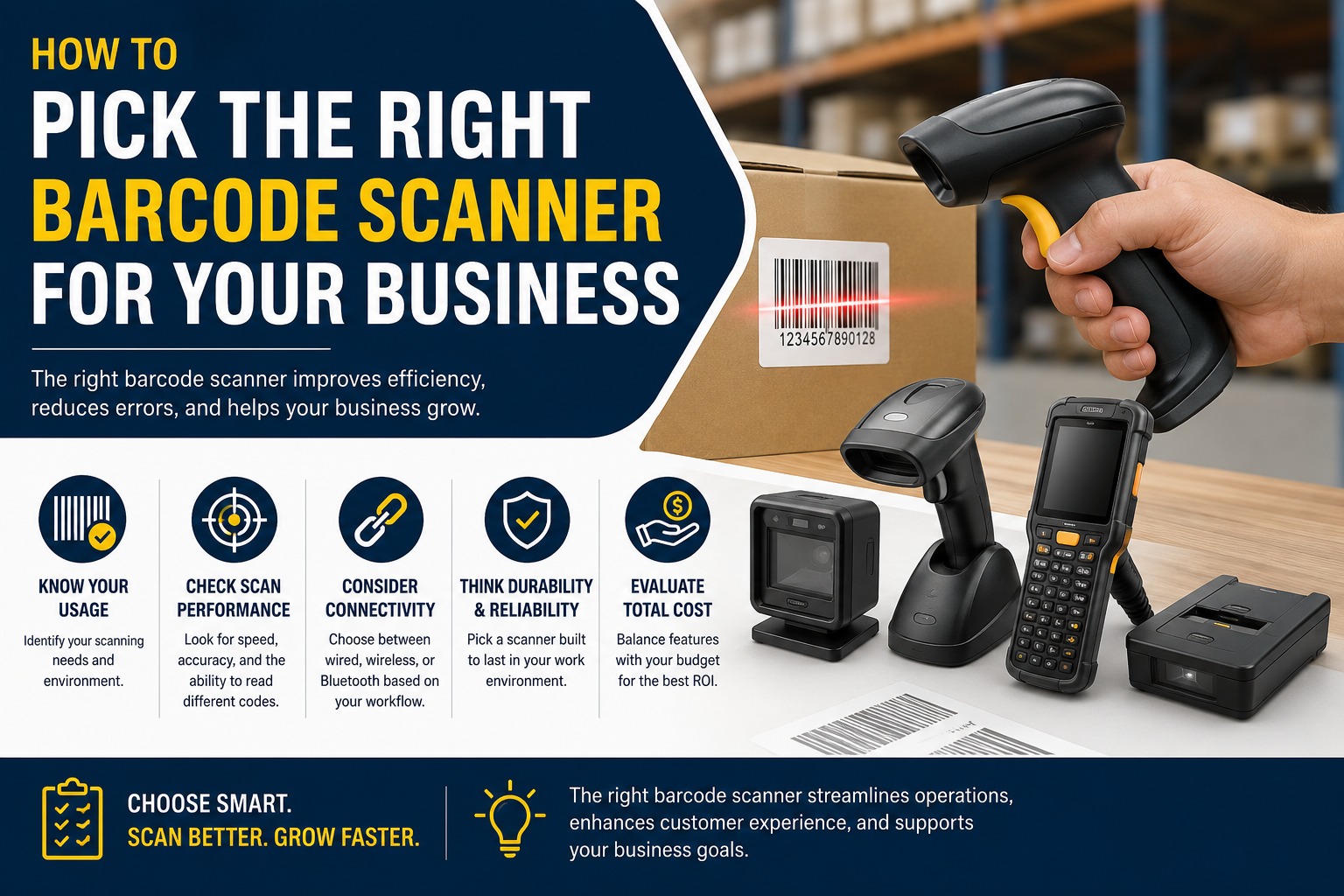
How to Pick the Right Barcode Scanner for Your Business
- July 13, 2026
Running a business is like trying to do a million things at the time and if you have problems with your inventory or checkout it can really hurt your business and drive you crazy. I was talking to a retail store owner year and he was losing an hour every day because his old barcode scanner was not working well with codes that were under dim lights or on labels that were all crumpled up.
Does that sound like something that happens to you?
Whether you have a store a warehouse that is always moving or logistics that never stop, picking the right barcode scanner is not just about buying something. It is about finding a tool that works with your team and the way you do things not against them. The good thing is that there are a lot of options now so you do not have to settle for something that makes everyone frustrated.
In this post we will go through what matters when you are choosing a barcode scanner. From understanding the problems you have every day to the important features that save you time and reduce mistakes. We will not use any words, just practical advice from someone who has helped a lot of businesses get this right.
Why the Wrong Barcode Scanner Costs You More Than You Think
business owners I talk to first look at the price of the barcode scanner. That makes sense. We all have to be careful with our money.. Here is what I have seen over and over: a cheap barcode scanner that does not work well in your environment ends up costing you a lot more in lost time mistakes and employees who are frustrated.
Think about it. In retail if your barcode scanner is slow at checkout it means lines and customers who are not happy. In a warehouse if your barcode scanner does not work well with labels that are damaged or away it leads to mistakes with your inventory that can cause you to run out of stock or have too much stock. Logistics teams that have to ship a lot of things cannot afford to have downtime when their barcode scanner stops working or has trouble, with conditions.
The real problem is not the hardware. It is when the barcode scanner does not match your needs. A barcode scanner that is attached to one place will not work for counting inventory when you are moving around and a lightweight barcode scanner that is made for people will not survive being used in a warehouse that is dirty and dusty. Understanding your situation is the first and most important step when you are choosing a barcode scanner.
Understanding the Different Types of Barcode Scanners
Not all scanners are created equal. Here's a straightforward breakdown of the main options:
1D vs 2D Scanners 1D (linear) scanners handle traditional barcodes like UPCs and EANs — great for basic retail checkout. But if you need to scan QR codes, Data Matrix, or labels with more information (common in modern supply chains), you'll want a 2D area imager. Most businesses are shifting toward 2D because it's more future-proof.
Form Factors and Connectivity
- Wired (USB/Corded): Reliable and inexpensive. Perfect for stationary checkout counters where you don't need mobility.
- Wireless (Bluetooth/Wi-Fi): Game-changers for warehouses and stockrooms. Your team can move freely without being tethered.
- Handheld Pistol-Grip: Comfortable for high-volume scanning throughout the day.
- Mobile Computer/Tablet-Style: Combines scanning with data entry and inventory software.
- Smartphone-Based: Using your existing devices with scanning apps — cost-effective for smaller operations but may lack durability.
Industrial/Rugged Scanners For tough environments — think cold storage, outdoor logistics, or dusty warehouses — look for IP-rated drop-resistant models that can handle drops, spills, and extreme temperatures.
When You Are Buying a Barcode Scanner Here Are the Key Features to Look for
Do not get confused with all the details. Just think about what matters to you and your work every day.
The speed at which a Barcode Scanner can scan things is very important. You need a Barcode Scanner that can scan things quickly especially if you have to scan a lot of things. A good Barcode Scanner can read labels that are damaged or dirty or printed poorly. It can do this without trying many times. If you work in a warehouse you need a Barcode Scanner that can scan things from very far away.
The way a Barcode Scanner feels in your hand and how long the battery lasts are also important. Your team will be using these Barcode Scanners all day so you need them to be comfortable to hold and use. If you get a Barcode Scanner make sure the battery lasts a long time when you are actually using it. If the battery runs out of power all the time it can really slow you down.
You also need to think about how a Barcode Scanner can withstand being dropped and getting wet or dirty. A good Barcode Scanner should be able to withstand being dropped from a high distance like four to six feet. It should also be able to keep working in hot or very cold temperatures. If a Barcode Scanner breaks after one drop it is not a good deal.
The Barcode Scanner also needs to work with your other systems, like your inventory system or the machine you use to handle sales. Look for a Barcode Scanner that's easy to set up and use or one that has special tools that let you customize how it works. Many new Barcode Scanners can send data in time.
The types of labels a Barcode Scanner can read are also important. Make sure the Barcode Scanner can read all the types of labels you use now, like 1D and 2D and QR codes and all the types you might use in the future.
Real-World Use Cases: Matching Scanners to Your Business
Retail Stores have a lot to gain from using the scanners. A small 2D imager at the checkout counter really helps keep the lines moving. Many stores also use wireless handheld scanners to check prices or take stock during slow periods. I remember one store where I worked and we cut the checkout time by 40 percent after we started using scanners.
Warehouses and Distribution centers need wireless scanners that can work from far away and have good battery life. This is important because teams need to scan labels on boxes from a distance and be able to move around the aisles without losing the connection. When these scanners work with the warehouse management software it gives us a picture of what is happening in real time.
Logistics and Field Operations are places where mobile computers or smartphone solutions work well.. Field teams like devices that can scan and also get signatures or proof of delivery all in one.
The main thing to remember is to choose the right tool for the job. I have seen warehouses spend much money on very strong rugged scanners when a good mid-range wireless model would have been just fine. And the other way around with Retail Stores using scanners that are not strong enough for their needs. Matching the scanners to the business is the key, to getting the most out of scanners.
FAQs
How much should I expect to spend on a good barcode scanner? Entry-level wired scanners start around $50-150. Solid wireless or rugged models typically run $300-800+, depending on features. Think of it as an investment — the right one pays for itself quickly through time savings and fewer errors.
Do I need 2D scanning capability? If you're only doing basic retail UPCs today, maybe not immediately. But most businesses benefit from 2D because labels, shipping documents, and customer-facing codes increasingly use it. It's better to future-proof.
Wireless or wired — which is better? Wired is simpler and cheaper for fixed stations. Wireless gives freedom in larger spaces but requires charging and has slightly higher upfront cost. Most growing operations eventually go wireless.
Can I use my smartphone as a barcode scanner? Yes, with the right app and possibly a protective case or attachment. It's a great low-cost start for small teams, but dedicated hardware is usually more reliable and faster for heavy use.
How do I know if a scanner will integrate with my system? Check compatibility with your software (Shopify, QuickBooks, specific WMS, etc.). Most modern scanners emulate keyboard input for easy setup, but talk to your vendor about API or SDK needs for deeper integration.
Conclusion
Choosing the right barcode scanner doesn't have to be overwhelming. Start by honestly assessing your environment, daily volume, and team needs. Prioritize performance, durability, and integration over flashy extras, and you'll end up with a tool that actually makes life easier instead of adding another headache.
Take a good look at your current setup — where are the bottlenecks? What frustrates your team most? The right scanner can quietly transform your operations, giving you more accurate inventory, faster service, and peace of mind.
If you're still not sure where to start, reach out to a reputable supplier for a demo tailored to your business. Don't wait until the next busy season hits and you're scrambling. Your operations — and your team — will thank you.
Ready to upgrade? Browse reliable options or contact experts who understand your industry. The right choice is out there, and it can make all the difference.

Share on Facebook

Share on X

Share on Pinterest

Comment(s)
